Tunnels & port forwarding
The forwarding panel is the control in the top bar, badged with the number of active forwards. It has two sections: persistent tunnels that have been saved, and the forwards running on each live connection.
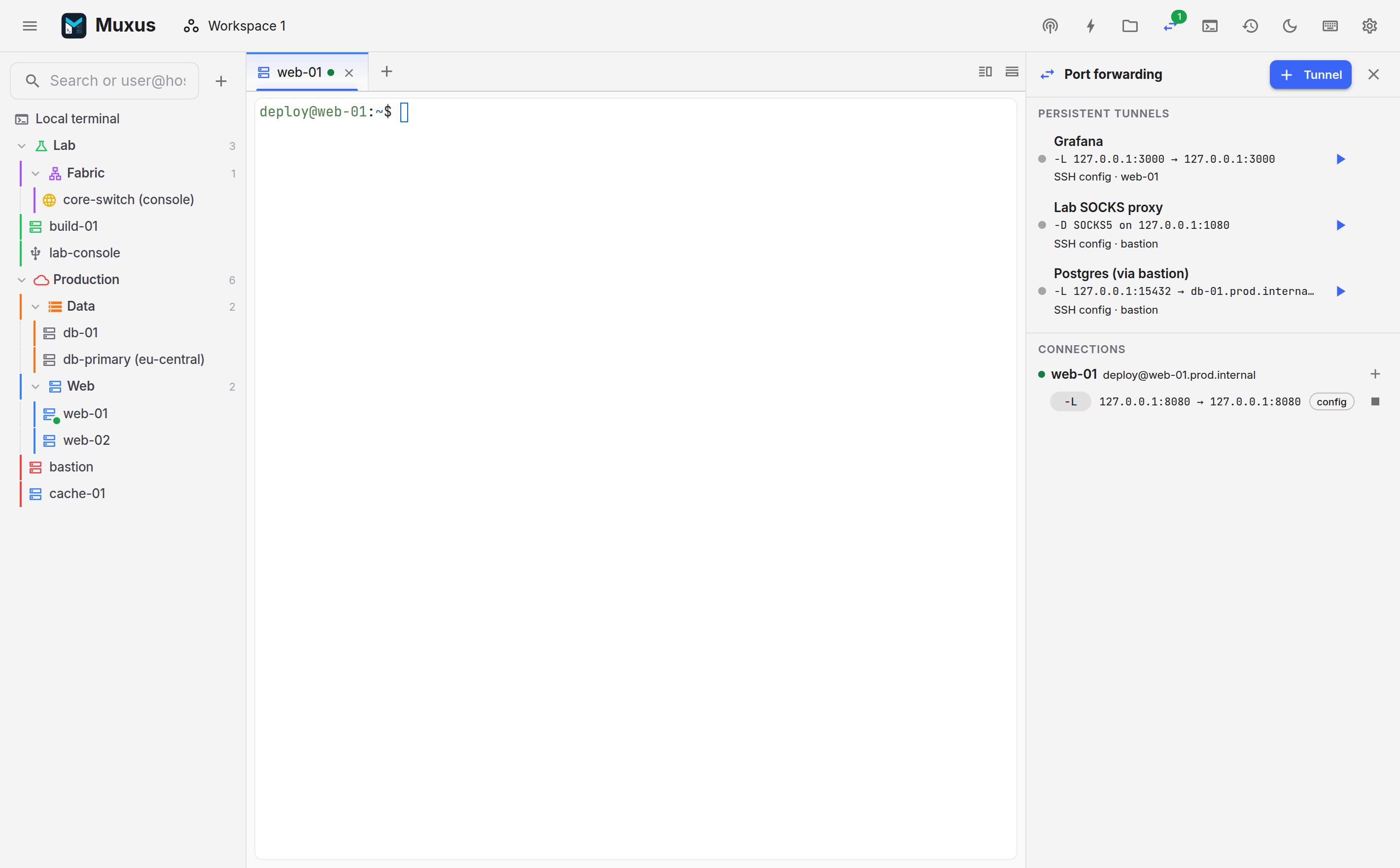
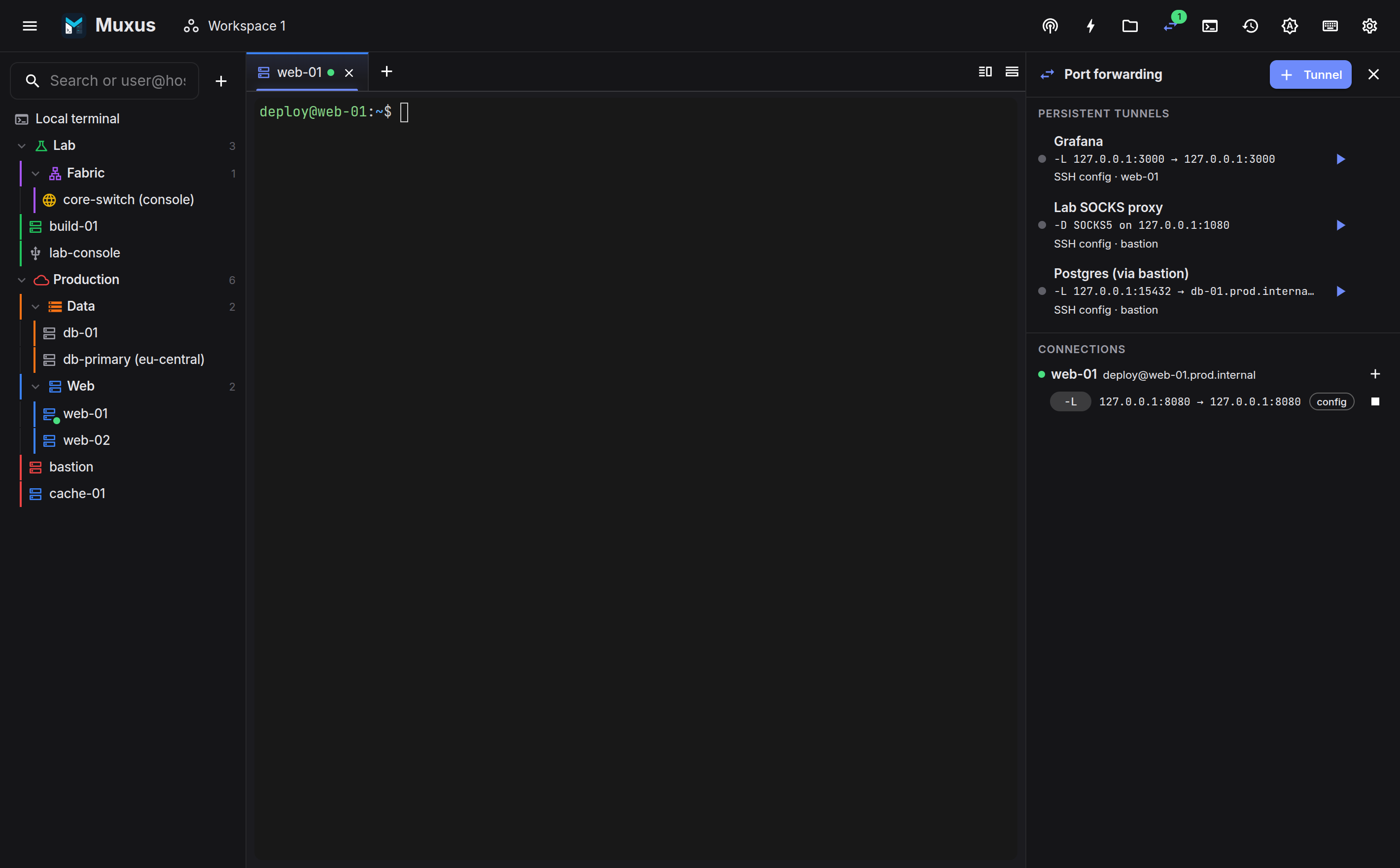
Persistent tunnels
A saved tunnel consists of a name, a target host and a rule. Starting it with runs it without a terminal. Muxus reuses a live connection to that host if one exists, or dials a shell-less transport with the full interactive authentication flow: host-key check, key passphrase and 2FA prompt.
| Type | Flag | What it does |
|---|---|---|
| Local | -L |
A port on the local machine reaches a host and port on the far side |
| Remote | -R |
A port on the remote reaches a local target |
| Dynamic | -D |
A local SOCKS5 proxy through the remote |
Tunnels hold their own transport lease, so closing every terminal to that host does not stop the tunnel.
Starting with Muxus and reconnecting
Two switches, in the tunnel editor or the tunnel's menu, run a tunnel without anyone pressing . Both are off for new tunnels.
- Start when Muxus starts brings the tunnel up as Muxus opens, without a terminal. Such tunnels show next to their name.
- Reconnect automatically brings the tunnel back after its SSH connection drops. Such tunnels show next to their name.
When the connection is lost, the forwarded port closes and the tunnel's dot turns amber while Muxus connects again: after 2 seconds, then 5, 15 and 30, and once a minute after that, until the host answers or the tunnel is stopped. Once the connection is back, the rule starts on it with the same port. A drop after at least 30 seconds of uptime starts again from the shortest wait. A tunnel with both switches on also keeps trying when the host cannot be reached at startup, for example before the VPN is up. With only Start when Muxus starts on, a failed start turns the dot red and shows the reason.
These automatic starts never show a prompt. Keys, the SSH agent and passwords kept in the password vault sign in as usual. If the login needs anything else, such as a key passphrase, a 2FA code, an unsaved password or a new or changed host key, the tunnel stops trying and shows Sign-in needed. then starts it with the usual prompts, and dismisses the message.
Forwards on a live connection
The lower section lists each connected host and the forwards running on it:
config-badged forwards come from the host'sLocalForward,RemoteForwardorDynamicForwardlines. They start and stop with the session. Stopping one manually affects only the current session; the configuration rule is unchanged.- Ad-hoc forwards are those started from the panel with +. Two actions make them
durable:
- Save as tunnel moves it into the persistent list, so it can be started later without a terminal;
- Save to ssh config writes it into that host's
Hostblock, so every future connection starts it, including fromsshon the command line.
Adding a forward
Use + Tunnel in the panel header, or + on a live connection. Both require a bind port, a target host and a target port, and the host editor's diagram shows the resulting direction.
Choosing between the two
- A forward needed while working on that host belongs on the host, so it starts with the session.
- A forward needed independently of a terminal session, such as one used by a database GUI or a browser, belongs in the persistent tunnel list.
Reaching a tunnel
Bindings are on 127.0.0.1. A local forward on port 3000 is reachable at
http://127.0.0.1:3000. A dynamic forward on 1080 is a SOCKS5 proxy at 127.0.0.1:1080,
usable from a browser's proxy settings or curl --socks5-hostname.
Tunnels are also reachable from the quick launcher: press Ctrl+K, type the name, and the tunnel starts or stops in place.