Command buttons & multi-exec
Command buttons save a command for one-click execution. Multi-execution mirrors keystrokes into several sessions at once.
Command buttons
By default, saved commands appear in a bar above the terminal. One click sends the command to the focused session. To keep the buttons next to the prompt instead, move the bar to the bottom of the window: right-click the bar and choose Move bar to the bottom, or pick Bottom in the command-button manager or under Settings → Appearance → Layout.
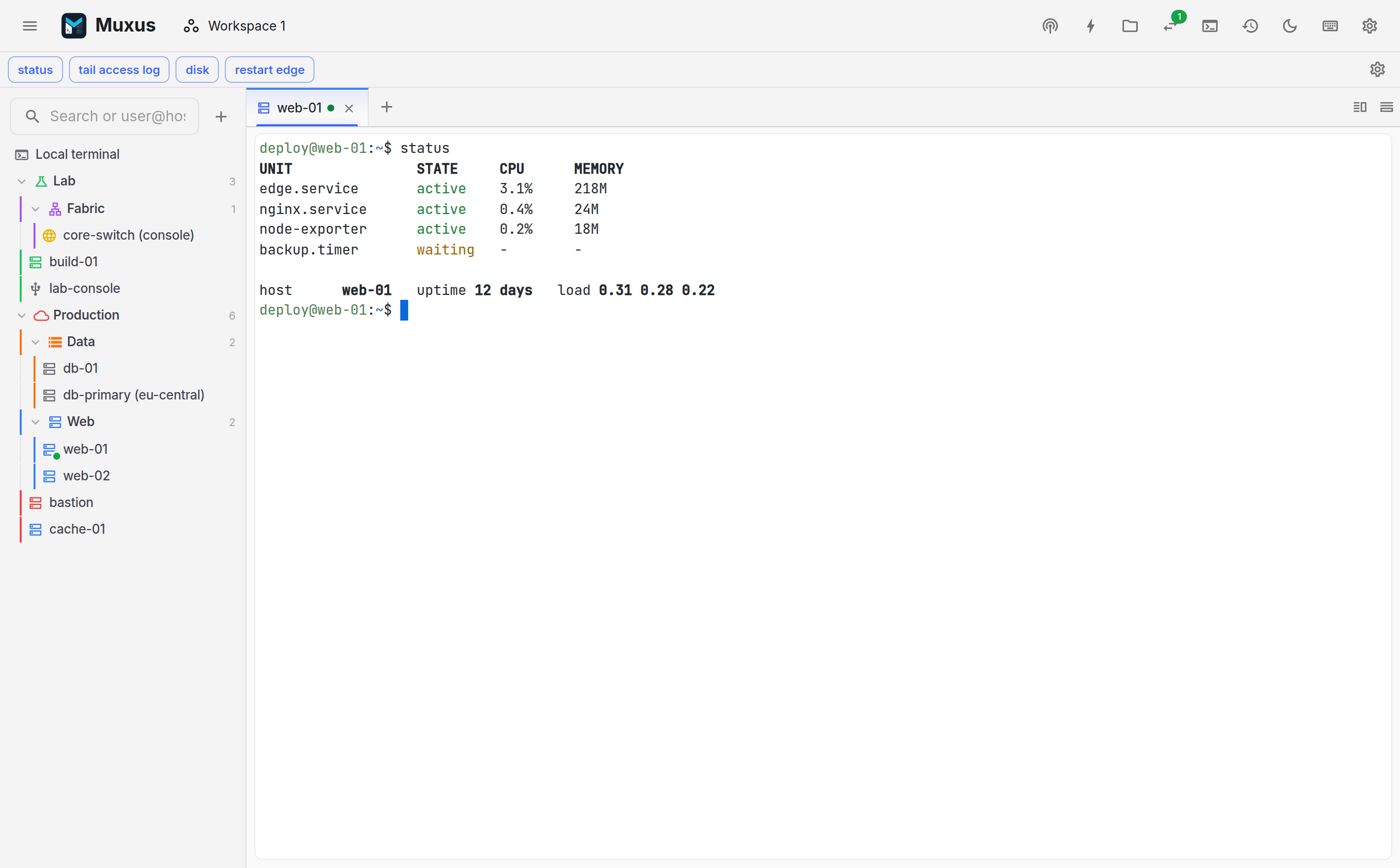
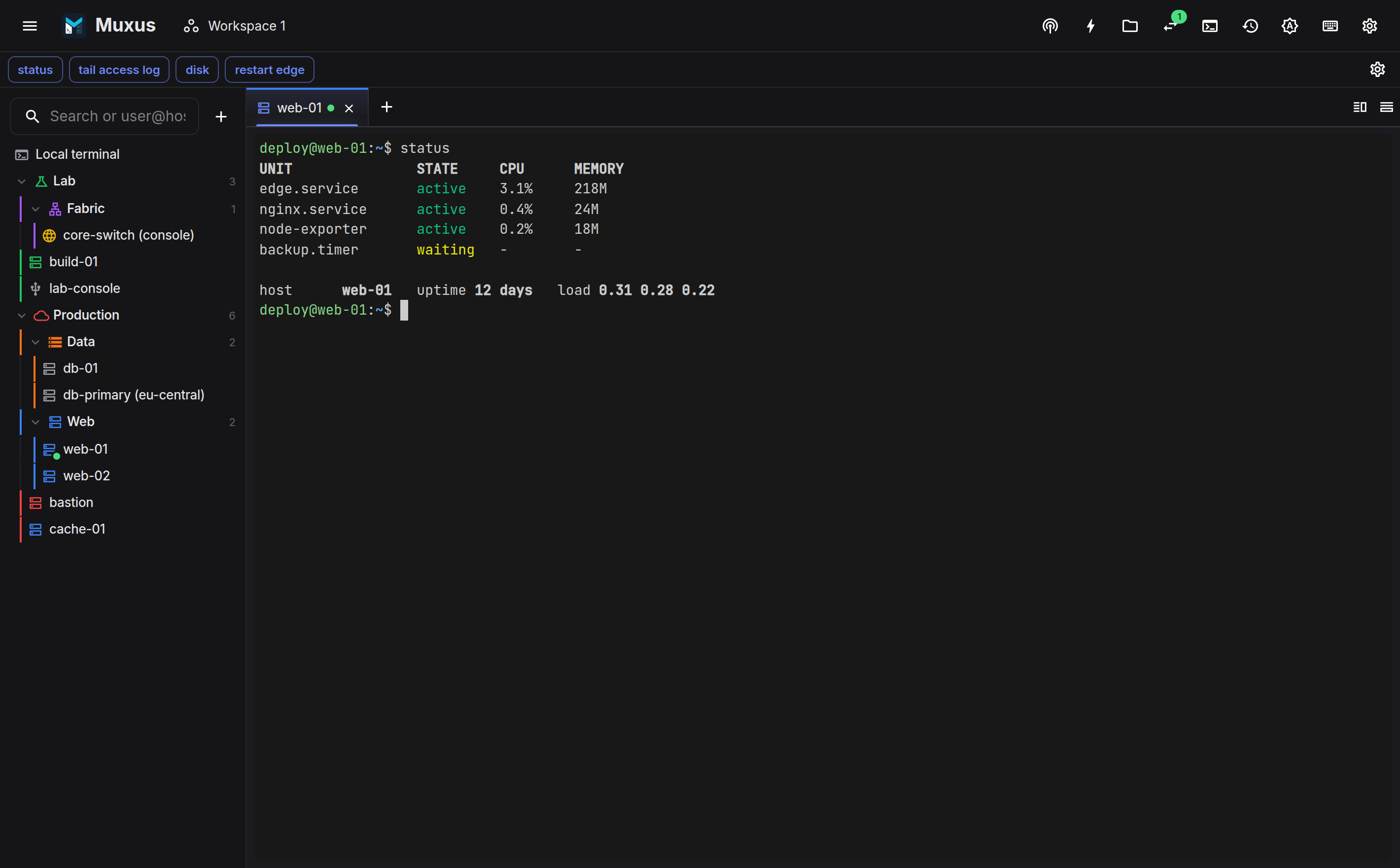
Buttons are managed with the control in the top bar. Each button has:
- a label, which is displayed, and a command, which is sent;
- a Run immediately switch. On, the command runs. Off, it is inserted at the prompt for review and submitted with Enter;
- an optional colour, picked from the dot in the label field;
- an optional shortcut that runs it from the keyboard.
Insert-only is the appropriate mode for destructive commands, and a colour such as red marks them at a glance. Colours are a fixed palette with a darker shade on light themes and a lighter one on dark themes, so labels stay readable either way.
Buttons are disabled while the focused tab is not connected. The arrows reorder them, and the copy button duplicates one right below itself as a starting point for a similar command.
A button types its command the way the keyboard would, never as a bracketed paste, so a shell runs it when the button presses Enter. Its line breaks and Enter go out as the host's Enter key. A host with a paste pace gets the command at that pace, so a multi-line command reaches a slow console intact. Pressed while a paced paste is running, the button waits for that paste to finish, and cancelling the paste drops it too. With multi-execution on, the selected sessions receive the command too, each at its own host's pace.
Buttons that send a secret
An enable or configure-mode password, a sudo password or a PIN does not belong in a
command, where it would be saved in plain text and copied into backups. Save it as a
secret in the password vault instead and let a button type it:
- In the command-button manager, switch the button from Command to Secret.
- Pick the secret, or choose New secret… to add one on the spot.
- Leave Press Enter after it on to answer a password prompt, or turn it off to type the secret without Enter.
The button stores only which secret it types, never the value, and carries a key so it is clear what it does. Muxus types the secret into the focused session exactly like typed input, and multi-execution mirrors it to the selected sessions like any other input. Each session presses Enter as its host's Enter key sends it. The value never passes through the window, the quick launcher, session history or log files; only what the remote side echoes back can be recorded, and a password prompt echoes nothing.
Using a secret follows the vault's prompt policy: with Never it is typed straight away, otherwise Muxus asks for the master password first.
Deleting a secret that buttons still use warns first. Those buttons then show a warning, stay disabled and say that their secret is missing, until another secret is picked for them.
Send secret…
Ctrl+Shift+P (or Send secret… in the quick launcher) opens a menu of saved secrets beside the cursor. Type to search by name or user name, then press Enter to type the secret and press Enter, or Shift+Enter to type it only. The menu also links to Manage secrets… in Settings → Passwords.
The shortcut is rebindable under Terminal → Send secret… in the keyboard sheet.
Turn off Show command bar in the command-button manager to reclaim the vertical space and use only the keyboard menu. This hides the bar without deleting any saved commands.
Groups
With many commands, for several vendors or tasks, sort them into groups. The bar shows one group at a time, and the selector at its left end switches between them; each entry lists how many commands it holds.
In the command-button manager, New group adds a group, and the list on the left selects the group whose buttons are shown. A group can be renamed, moved up or down, or deleted together with its buttons. A button's Group field moves it to another group.
Every installation has a Default group, which cannot be deleted and holds the commands saved before groups existed. It can be renamed, for example to General. The group selector only appears once there is a second group.
A group per host
A host can choose the group the bar shows, so every session to it starts with the right commands. The quickest way is from the bar itself: during a session to the host, pick the group in the selector, open it again and tick Always show group for host; untick it to stop. The same setting is Command button group under Terminal appearance in the host's editor, and the bulk editor sets it for several hosts at once. Whenever a session to that host is the active tab, the bar switches to its group.
| Active session | Group shown |
|---|---|
| Host with a group | The host's group |
| Host with a group, after picking another in the bar | The picked group, for that tab only |
| Any other session, or no session | The group last picked in the bar |
Picking a group while such a host's tab is active only changes that tab; the choice lasts until the tab is closed. Picking one anywhere else becomes the group for every session without its own.
Keyboard menu
Press Ctrl+Space to open a compact menu beside the active terminal cursor. Start typing to search command labels and command text, use Up and Down to choose a result, then press Enter to send it. The group shown in the bar comes first; other groups follow under their own headings, so a search reaches every saved command. The menu also links to Manage command buttons so commands can be added or reordered without reaching for the mouse.
The shortcut is rebindable under Terminal → Show saved command menu in the keyboard sheet.
Button shortcuts
A button can have a key combination of its own that runs it in the focused session, exactly as clicking it does. Buttons have none until one is recorded:
- In the command-button manager, click the keyboard icon (Add shortcut) next to the button's move and delete icons.
- Press the combination, for example Alt+Shift+1. It needs Ctrl, Alt or Cmd, or a function key, so ordinary typing never runs a button. Esc cancels.
A combination is refused, with the reason, when it already runs a Muxus command or another
button, or when the shell keeps it: Ctrl with a letter, such as Ctrl+C or
Ctrl+W, other keys the terminal sends as control characters, such as Ctrl+Space,
and Ctrl+2 … Ctrl+8. On Windows, avoid Ctrl+Alt combinations: layouts that
type characters such as @ with AltGr report them as Ctrl+Alt, so typing the
character would run the button. Click a recorded shortcut to replace it, or its delete icon
to remove it. Duplicating a button leaves the shortcut with the original.
The shortcut appears in the button's tooltip, in the Ctrl+Space menu and under Command buttons in the keyboard sheet, which can also replace or remove it. It works whichever group the bar shows, and backups keep it. Muxus only takes the combination while a connected terminal has focus and the button has something to send; otherwise the key passes through as usual. Holding the combination runs the button once, as a click does.
If a Muxus command is later bound to the same combination in the keyboard sheet, both are flagged as a conflict, and the command wins whenever it applies. Restore defaults in the sheet leaves button shortcuts alone.
Multi-execution
Multi-execution mirrors keystrokes into several live terminals at once.
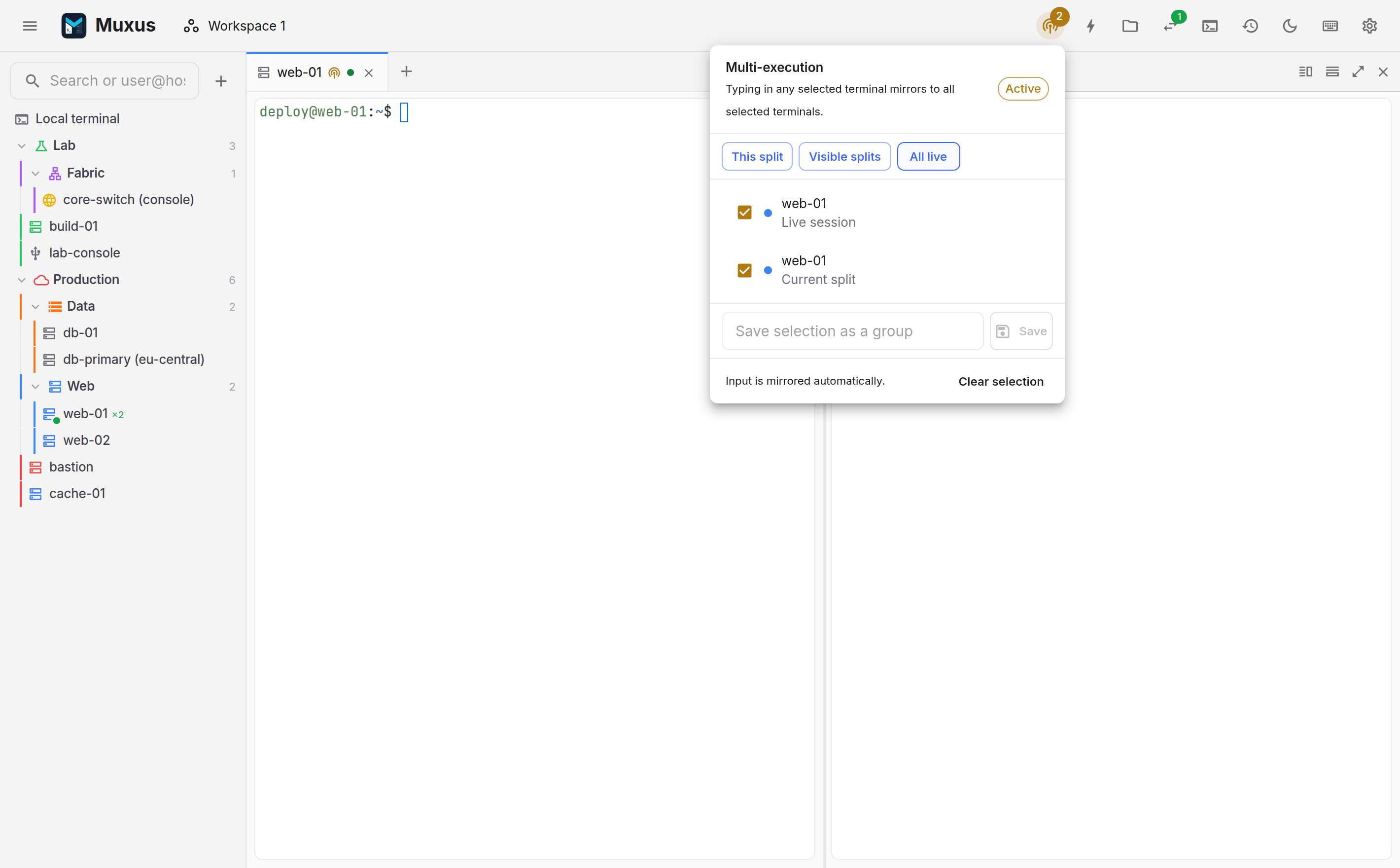
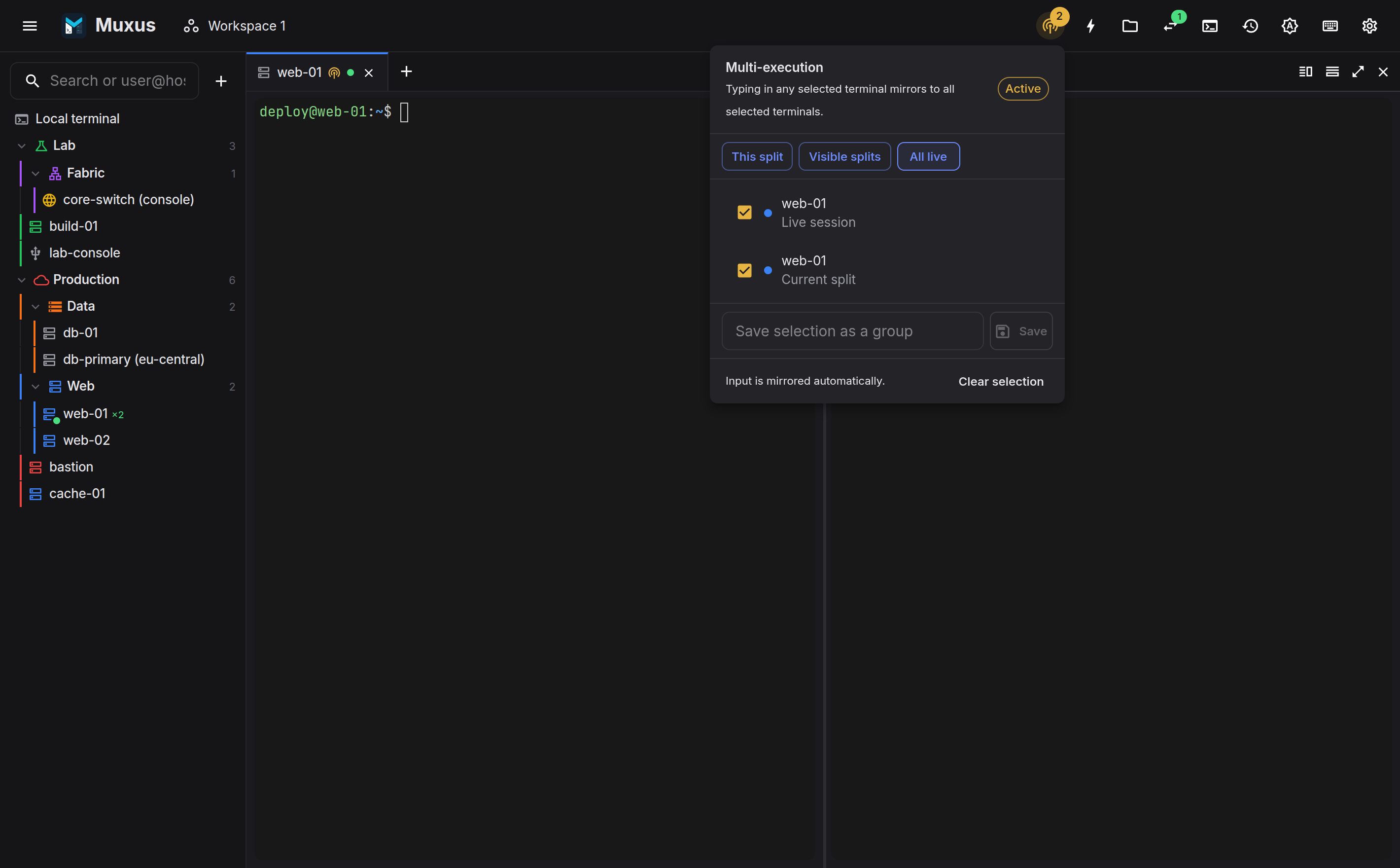
- Open the multi-exec control in the top bar.
- Select at least two connected sessions, either individually or with the presets This split, Visible splits and All live. The control turns Active.
- Type in any selected terminal. Every selected terminal receives the same input, and so do a command button and a secret sent into one of them.
- Clear selection when finished.
A paste is mirrored as well. Each terminal types it in at its own host's paste pace, so a slow serial console does not hold up the others, and cancelling the paste in one terminal stops it in all of them. Each terminal also sends Backspace and Enter as its own host's keys say, whichever terminal they were typed in.
Mirrored input reaches every selected session
This includes any session where a prompt is waiting for confirmation. The control stays visibly Active while mirroring is on.
Send BREAK is not mirrored. It only reaches the session it was sent from.
Switching it off and on
Ctrl+Shift+M toggles mirroring without opening the control, so a mirrored command can be followed by a single-session one and back. Switching it on again restores the same selection, minus any session that has since closed.
Pressed with nothing selected yet, it mirrors one session per split currently on screen. With fewer than two of those, it says so and leaves mirroring off.
The chord is rebindable like every other, under Terminal → Toggle multi-execution in the keyboard sheet.
Saved groups
A selection of two or more sessions can be saved as a named group and re-activated in one click. Groups are stored with the workspace, and each one reports how many of its tabs are currently connected.