Graphical apps (X11)
With X11 forwarding, a graphical program started in an SSH session (wireshark,
xclock, virt-manager, a vendor's Java console) opens its windows on your computer.
Nothing needs to be installed on the server beyond what ssh -X already needs.
How it works on each platform
| Platform | Local X server | Default |
|---|---|---|
| Windows | Built into Muxus (VcXsrv): one display per SSH connection, started the first time a program on it opens a window | On for every host |
| macOS | XQuartz, which you install once | Switched off until you turn it on; then per host |
| Linux | Your desktop session's $DISPLAY (X11 or XWayland) |
Off; enable per host |
The defaults differ because of what a remote program can reach. On Windows it only reaches the display Muxus runs for that one connection: it cannot see windows from other hosts, and it is kept apart from the Windows clipboard unless you share it. On macOS and Linux it shares a display with your other X11 applications and can watch them, so forwarding is opt-in there, as it is with OpenSSH. macOS additionally needs XQuartz first, so X11 stays out of sight there until you enable it in Settings.
First use on Windows
The first time the built-in X server starts, Windows may ask whether VcXsrv may communicate on your networks. Muxus only connects to it over loopback, so it works either way; you can safely choose Cancel.
XQuartz on macOS
Install XQuartz, log out and back in once so that DISPLAY is set for apps started
from the Dock, then turn on Enable X11 forwarding in Settings. Muxus finds the
display on its own; no restart is needed.
Settings
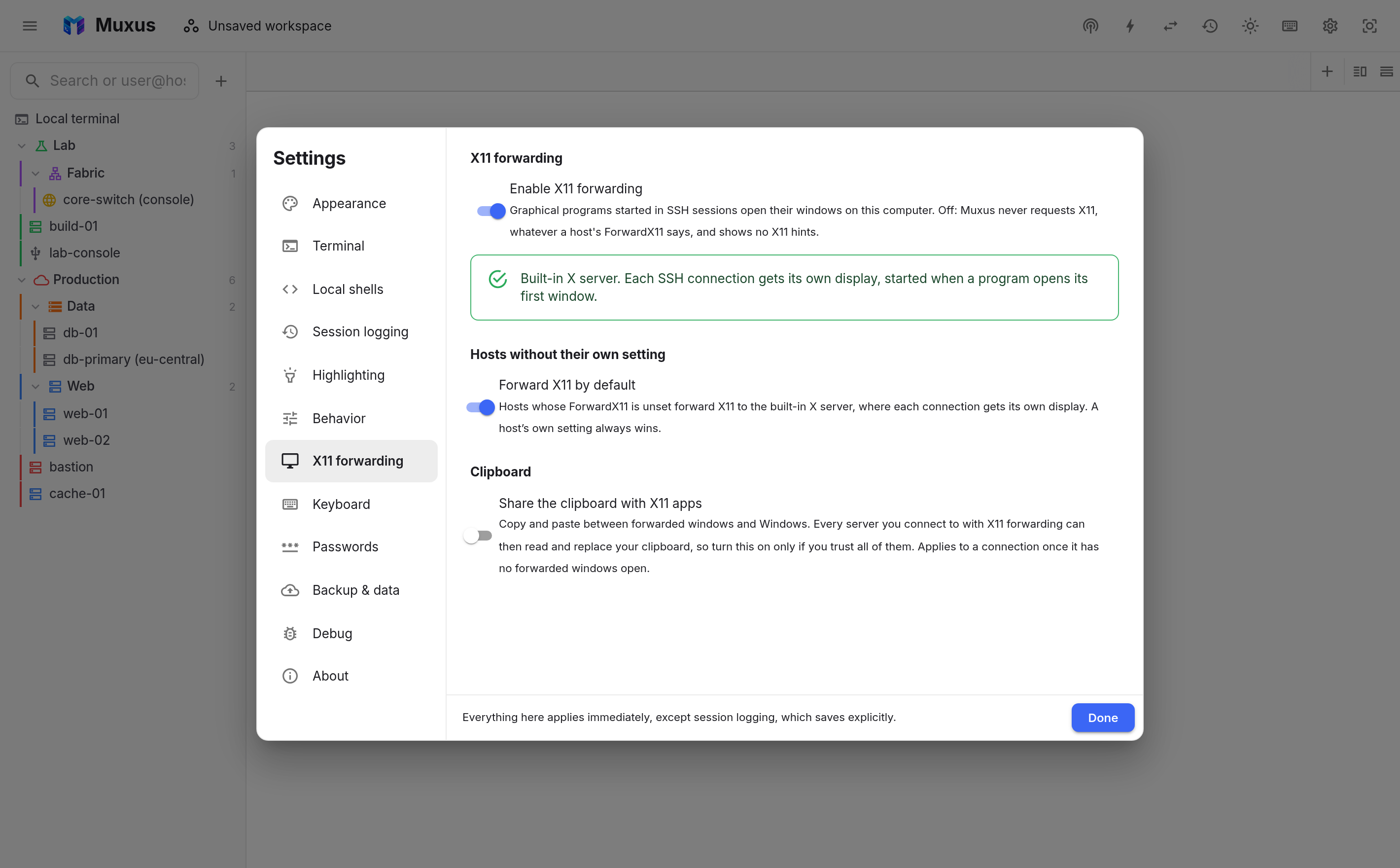
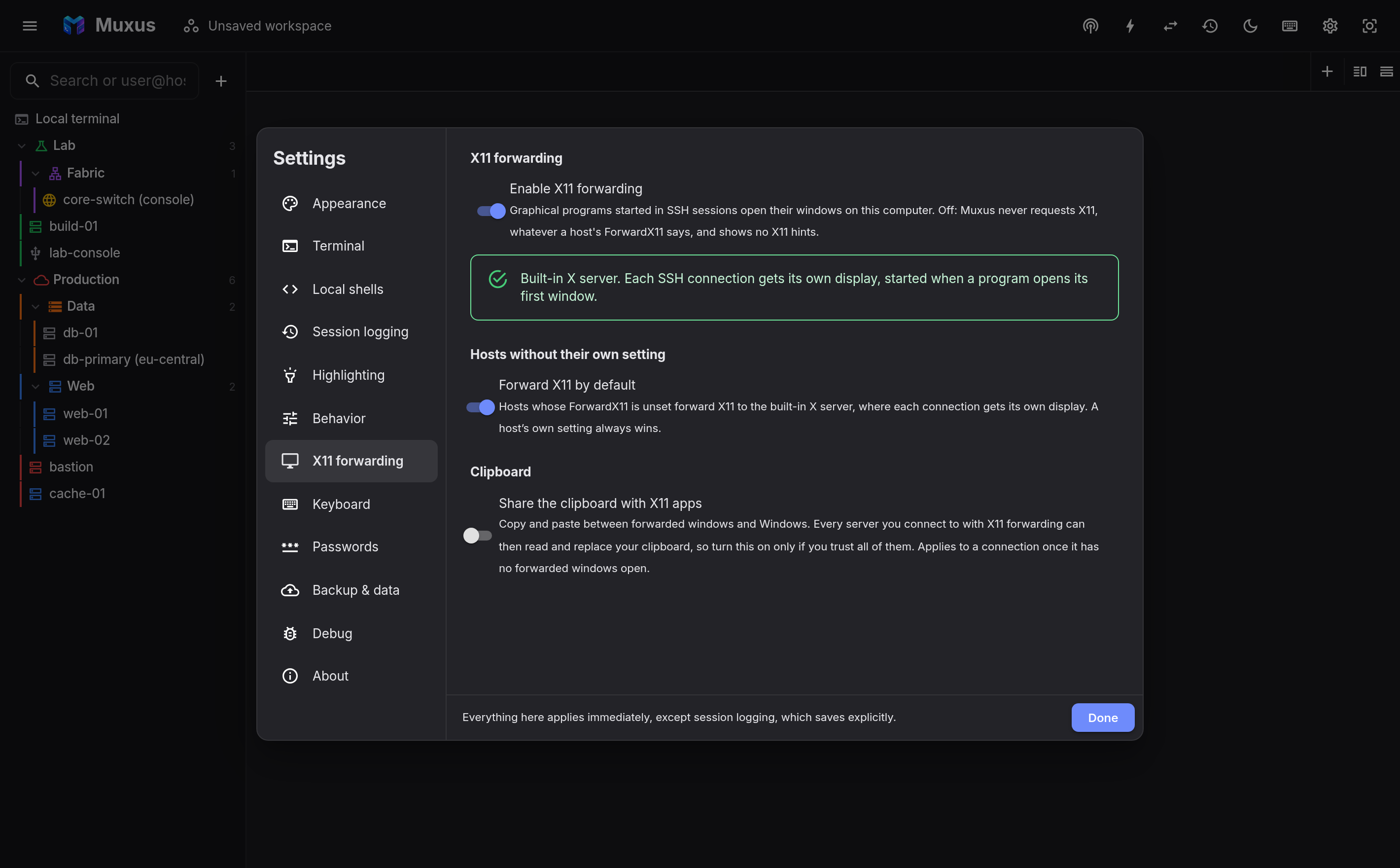
Settings → X11 forwarding applies to every host:
- Enable X11 forwarding is the master switch. Off, Muxus never requests X11, whatever
a host's
ForwardX11says, and shows no X11 hints. It starts off on macOS and on everywhere else. While it is on, the section shows which X server windows open on, or what to install when none is found. - Forward X11 by default decides for hosts that have no
ForwardX11of their own. It starts on with the built-in Windows X server and off elsewhere. - Share the clipboard with X11 apps (Windows only) bridges the built-in X server to the Windows clipboard; see Copy and paste.
Turning it on or off per host
Open the host editor's Forwarding section and choose X11 forwarding:
- Use SSH configuration (or Automatic for hosts stored in Muxus) follows
ForwardX11from matchingHostblocks, and Forward X11 by default otherwise. - Forward X11 writes
ForwardX11 yes. - Do not forward X11 writes
ForwardX11 no.
Hosts in console compatibility mode only request X11 when set to Forward X11, because some network appliances drop the connection on unexpected session requests.
Copy and paste
On Windows, forwarded windows do not share the clipboard with Windows by default: with sharing on, every server you connect to with X11 forwarding could read what you copy (passwords included) and replace it. To copy and paste between remote programs and Windows, turn on Settings → X11 forwarding → Share the clipboard with X11 apps. The change reaches a connection once it has no forwarded windows open.
On macOS and Linux, the clipboard follows your X server: XQuartz and your desktop session share it as they do for local X11 applications.
What the server needs
The SSH server must allow X11 forwarding and have xauth:
On Debian and Ubuntu, xauth is in the xauth package; on RHEL-family systems it is
xorg-x11-xauth. When the server refuses, the session still opens without X11. If the
host is set to Forward X11, the terminal says why.
Security
- The server never receives your real X credentials. Muxus sends it a random cookie and
swaps it for the real one only for connections that present it, like
ssh -Xdoes. - On Windows, every SSH connection gets its own display with its own cookie, so a program from one host cannot capture or control windows from another. The display stops when the connection closes, and it is not connected to the Windows clipboard unless you turn that on.
- Forwarding to a macOS or Linux display is trusted forwarding (like
ssh -Y): a program on the server can interact with your other X11 windows. Enable it only for hosts you trust.
Licensing
VcXsrv is free software under the GNU General Public License v3. The Windows app ships an unmodified subset of the upstream build together with its license, and the matching source archive is attached to every Muxus release.